

7 best Instagram transcript generator in 2026 (free and paid)
The link is sitting in your clipboard. A founder explaining the pricing mistake that killed their first product. A creator walking through the hook that made a Reel hit 2 million views. A three-minute tutorial you owe a summary of by Friday.
A few years ago, turning that link into text meant a transcription service and a 24-hour wait. Then the paste-and-go tools arrived, and the problem flipped. In 2026 there are dozens of Instagram transcript tools, most of them free, and the hard part is no longer getting words out of a video. It is knowing which tool you will still be able to use next month — and what "free" actually costs before the first wall appears.
This guide compares seven tools on the four things that decide the job: how you feed it a video, what you get before a wall appears, what formats come out, and what happens to your file. Every price and limit below was read off official pages on October 21, 2026. Accuracy percentages are the vendors' own claims, labeled as such — no tool in this category publishes an independent benchmark, and this article will not pretend otherwise.
Compare Instagram transcript generator: free tiers and pricing
| Tool | Best for | Free tier | Starting price | Instagram input |
|---|---|---|---|---|
| Instagram Transcript (instagramtranscript.io) | Best overall — zero friction | Free, no sign-up, no published caps | Free | URL paste (all public formats) + file upload |
| GetTheScript | Pay-as-you-go short-form | 3 short transcripts/day, no account | $9.99 / 200 credits | URL paste (Reels, Shorts, TikTok, Facebook) |
| WayinVideo | All-in-one video workspace | 100 one-time credits after sign-up | $13.99/mo ($4.99/mo annual) | URL paste (Reels, Stories, Live replays) + upload |
| Eden | Free tool + content pipeline | Free, no sign-up (.txt output only) | $7.50/mo (Personal); $25/mo (Creator) | URL paste (Reels; audio-based) |
| Saveto AI | Fully-free catch-all | Free, no login | Free (pre-launch) | URL paste + upload (100MB cap) |
| Choppity | Long-form into clips | Free, no sign-up (upload only) | $19/mo (Starter) | File upload (no IG URL paste) |
| SpeakApp | Meetings, not Reels | Free IG tool page (Reels ≤ 2 min) | $59.99/yr (meeting product) | URL paste (public Reels ≤ 2 min) |
What Is Instagram transcript?
An Instagram transcript is the spoken content of a Reel, video post, Story, or Live converted into readable, editable text — the words, in order, optionally with timestamps and speaker labels.
Instagram itself stops short of providing a downloadable transcript. Instagram's official Help Center describes automatic captions for Reels, which display spoken words during playback. These captions are useful for watching, but Instagram does not provide viewers with a direct way to copy or export them as a transcript for captions, subtitle files, or AI workflows.
That gap is why an entire category of Instagram to text converters exists. Three jobs dominate what people do with the output: writing captions and alt text for accessibility, repurposing a Reel into a blog post or newsletter section, and research — pulling exact quotes and hooks out of a competitor's clip before it disappears. Anyone building an Instagram video to text converter workflow quickly learns the transcript is the raw material, not the finished product.
One ground rule before any tool: transcribe content you own or have permission to use. Public does not mean licensed. Most tools on this list say the same thing on their own pages, and the ones that do not should make you cautious.
If you only need the text from one Reel, this Instagram transcript generator does it in three steps — free, no account.
How we evaluated these Instagram transcript generator
Two disclaimers up front, because most listicles in this niche skip both.
First, sourcing. Every price, cap, and export format below was read off the tool's official pages on October 21, 2026, and is quoted as published. Where a tool's own pages disagree with each other, this article says so — because that disagreement is itself useful information.
Second, accuracy. The percentages you will see in this category — 95%, 99%, 99.9% — are vendor-reported marketing numbers. None of these companies publishes an independent benchmark, so the verdict on accuracy belongs to your own audio, not to a landing page.
Dedicated Instagram transcript pages exist from Kapwing, ElevenLabs, ScreenApp, Dictationer, and a dozen others. The seven below made this list because each represents a genuinely different strategy — and each has pricing or limits specific enough to verify. They are ranked by one job: turning an Instagram link, or an uploaded file, into clean, usable text.
Best Instagram transcript generator for different needs
Instagram Transcript: best free Instagram transcript generator
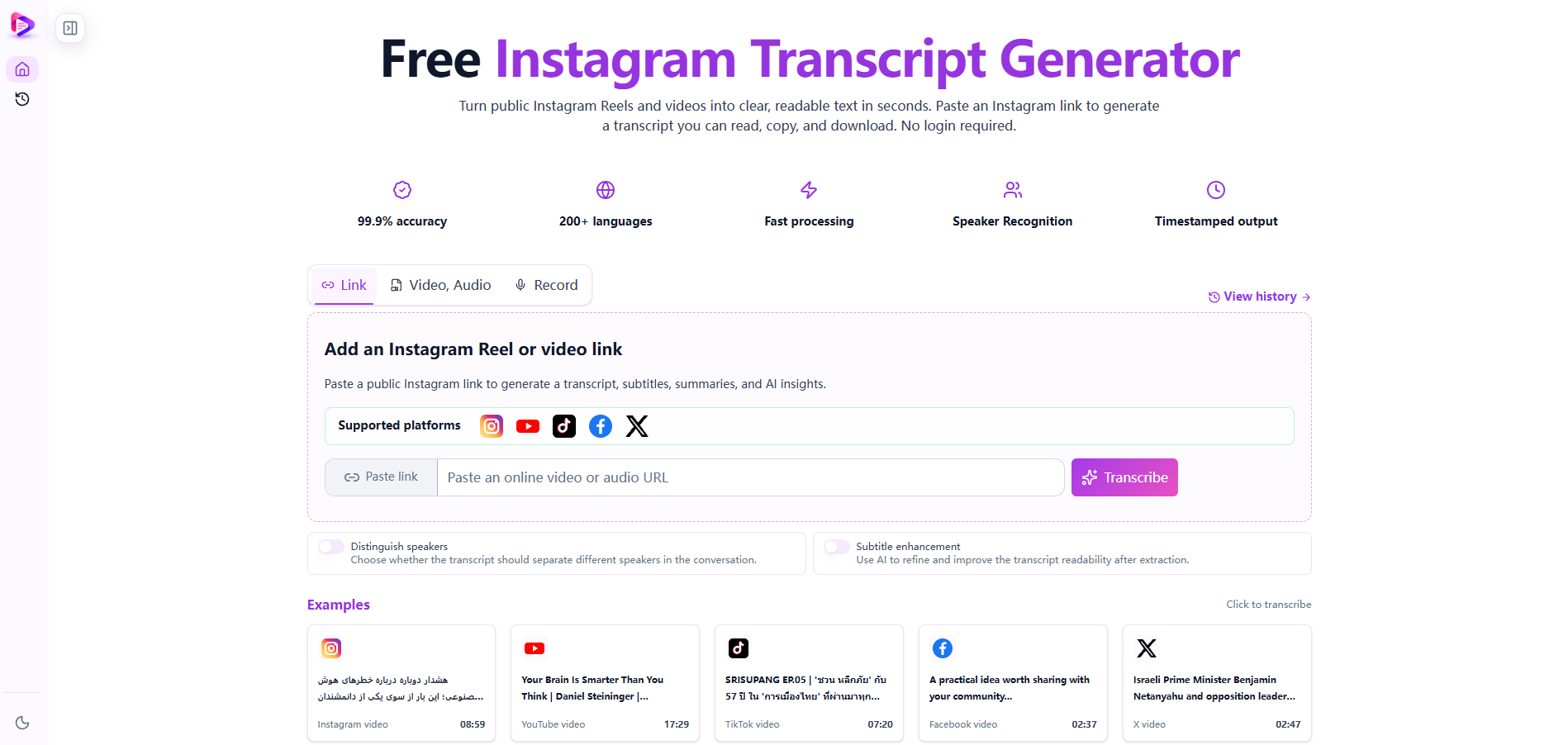
Most tools in this category give you one input method and one output. This one covers the whole path. Paste a link to any public Instagram content — Reels, feed videos, Stories, IGTV, Lives — or upload a local audio or video file, and the transcript comes back with timestamps and speaker labels already attached. Links from other social platforms work in the same box.
The part most tools leave to you is the second step: making the text useful. Here you get an editor, an AI summary with key points and a mind map, a chat box for asking questions about the transcript, and one-click translation — all in the same window as the raw text. Export covers both reading copies and caption workflows, including SRT and VTT subtitle files.
It is free, with no account and no published usage caps.
Instagram transcript and export features
- Every public format via URL — Reels, video posts, Stories, IGTV and Lives, plus uploads and other platforms' links, in one input box
- Timestamps and speaker labels on by default — editable before you export, so corrections happen once
- An AI layer on top of the text — summary, key points, mind map, Q&A, and translation without switching tabs
Advantages
- Free with no sign-up and no published usage caps — the only tool here with that combination and full format coverage
- SRT and VTT export included, not paywalled
- The summary and mind-map layer saves the manual second step most competitors leave to you
Limitations
- The 99.9% accuracy figure is self-reported; no independent benchmark exists yet — verify on your own audio before trusting it with published captions
- Public posts only. Private accounts require downloading the file yourself first (with permission), then uploading
Who should use Instagram Transcript
Creators, marketers, and researchers who transcribe Reels regularly and want the entire job — link to captions or notes — finished in one tab.
Price: Free; no paid tier published.
GetTheScript: pay-as-you-go Instagram Reel transcription
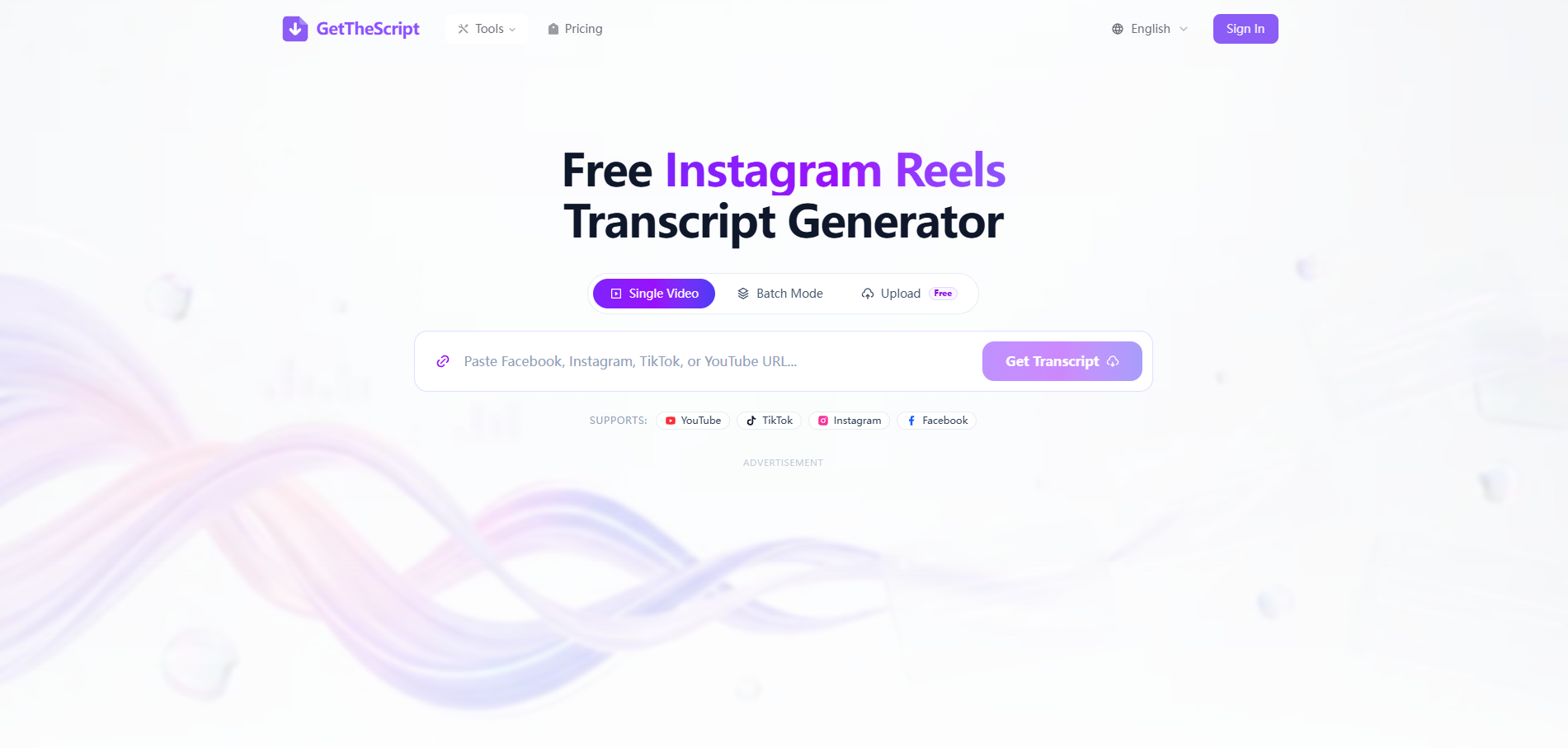
GetTheScript is built for exactly one thing: short-form social video. TikTok, Instagram Reels, YouTube Shorts, and Facebook links all work in the same field, and short clips typically return a transcript in 3-10 seconds. Free use covers three short transcripts per day with no account, and the paid side is pay-as-you-go credit packs rather than a subscription — a structure that suits project work over ongoing use.
The engineering cadence is real: the ship log shows an Instagram engine upgrade on September 28, 2026, and a faster upload path on October 12, 2026. Uploaded files are deleted after processing, and the tool states it will not touch private or age-restricted content.
Pricing and free-tier limits
The free tier stops at three short videos a day. Batch processing (up to 50 links) and file uploads sit behind credit packs: $9.99 for 200 credits, $19.99 for 1,000, or $39 for 3,000 — one credit covers a video under five minutes, with an extra credit per additional five-minute block. Credits stay valid for 12 months, and failed jobs cost nothing. The 95%+ accuracy claim is vendor-reported, and the site does not publish a full language count.
Instagram video transcription and export features
- Short-form first — TikTok, Reels, Shorts and Facebook in one field, results in seconds
- True pay-as-you-go — credit packs from $9.99, no subscription, 12-month validity
- Editor-ready exports — plain text, timestamped text, SRT and VTT, no watermarks
Advantages
- Three free transcripts a day with no account — enough to evaluate properly
- Credit pricing is transparent down to the per-video cost (~$0.05 at the smallest pack, ~$0.013 at the largest)
- Active release cadence, with a dedicated Instagram audio resolver shipped in September 2026
Limitations
- Batch jobs and uploads require paid credits — the free tier is single-video only
- No published language list, so multilingual coverage is hard to verify before paying
Who should use GetTheScript
Creators and marketers who process short-form video in bursts and prefer paying per video over a monthly subscription.
Price: Free tier (3 short transcripts/day); packs from $9.99 / 200 credits.
WayinVideo: Instagram video transcripts in an all-in-one workspace
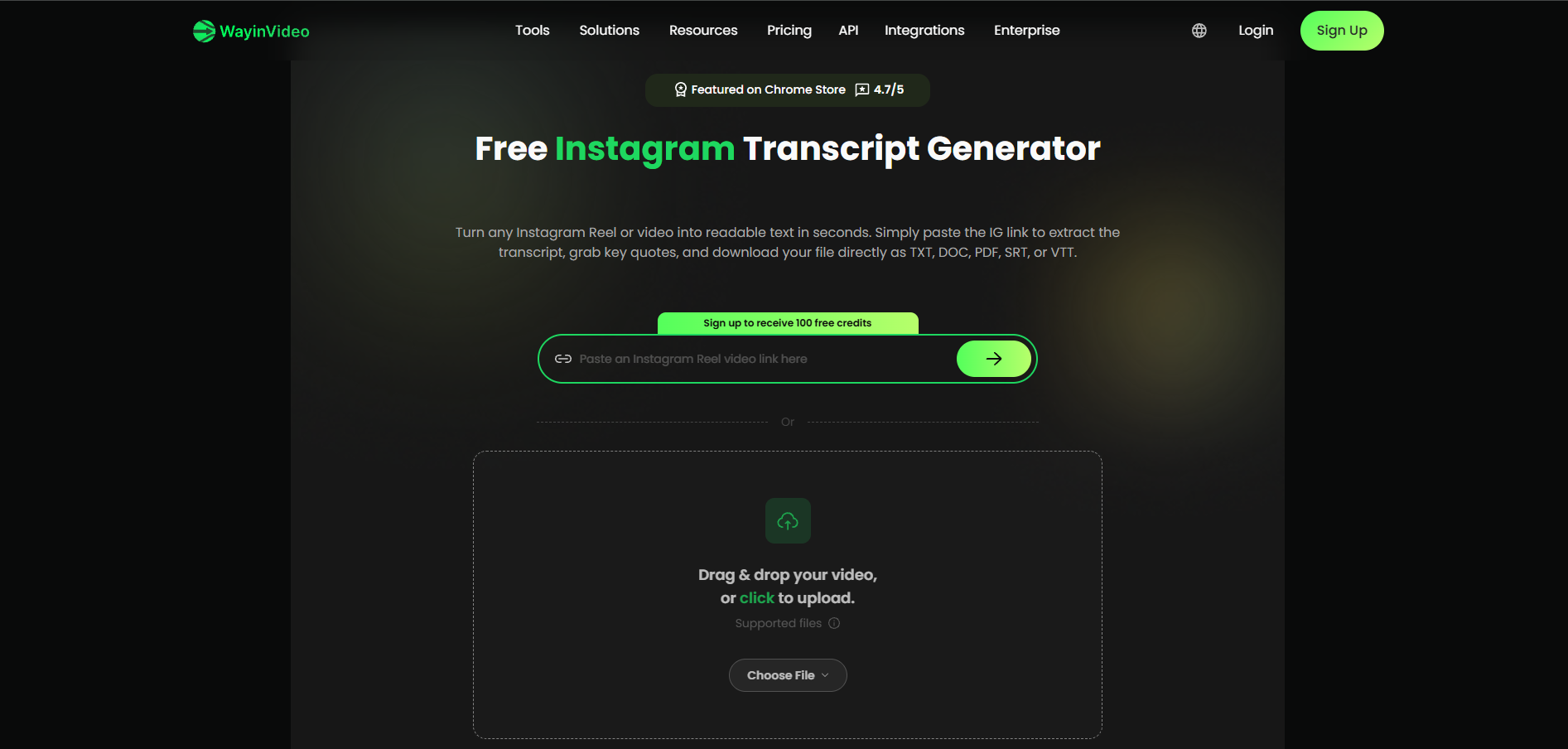
WayinVideo treats Instagram as a first-class source, not an afterthought. Its Instagram page accepts pasted public links from Reels, Stories, and Live replays, and transcribes from the audio track — so a Reel with no captions still returns text. Output is a timestamped, searchable transcript where clicking any line jumps to that moment, with exports to TXT, DOC, PDF, SRT and VTT — the widest format range on this list.
Behind the transcript sits a full video workspace: summaries, mind maps, chat-with-video, highlight clipping with virality scores, animated subtitles, reframing, scheduling, and a REST API. The tool page states that video links and transcript data are never stored or shared.
Pricing and free-tier limits
"Free to start" means signing up for 100 one-time credits — there is no monthly refill, and the pricing page lists full transcripts with speaker labels as a paid feature. Paid plans run $13.99/mo monthly or $4.99/mo billed yearly (Starter, 6,000 credits/year), with one credit processing one minute of source video and unused monthly credits expiring. Transcription here is one station in a larger pipeline, and the pipeline is the product.
Transcript, editing, and export features
- URL paste for Reels, Stories and Live replays — audio-based, so missing captions do not block you
- Five export formats from one transcript: TXT, DOC, PDF, SRT, VTT
- Click-to-jump timestamps — pull a quote without scrubbing the timeline
Advantages
- The only tool here with DOC and PDF exports alongside TXT, SRT and VTT
- Works on Reels with captions switched off, because it reads the audio track
- Transcripts, clips, subtitles and scheduling share one workspace and one credit balance
Limitations
- Free access needs sign-up, and the 100 credits are one-time — not a daily allowance
- Speaker-labeled full transcripts and 1080p+ exports are paid features; 1 credit = 1 minute adds up on long videos
Who should use WayinVideo
Creators and teams whose workflow goes beyond text — clipping, subtitling and republishing — and who want transcription inside that pipeline.
Price: Free (100 one-time credits after sign-up); Starter $13.99/mo or $4.99/mo annual.
Eden: free Instagram Reel transcripts and content tools
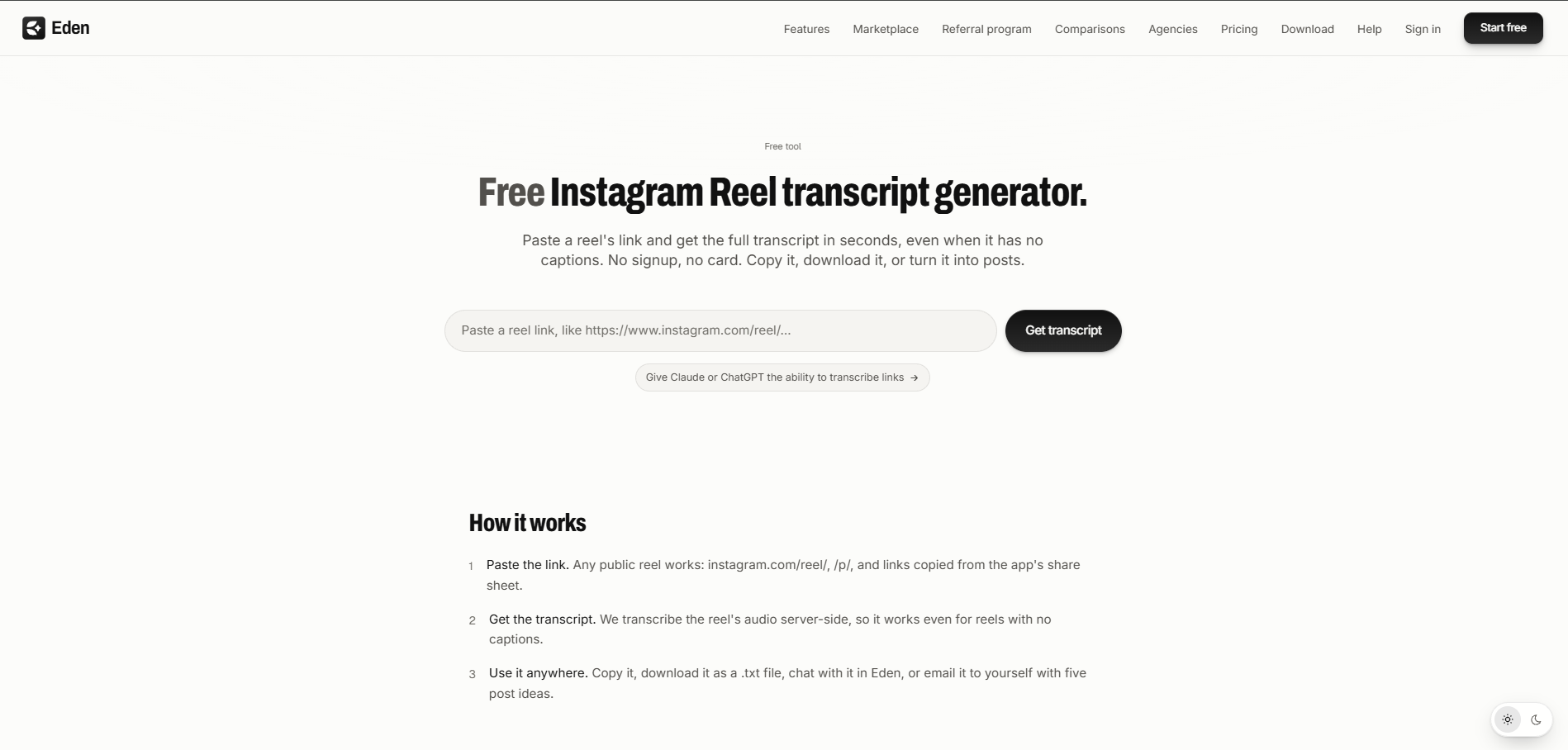
Eden's transcript pages are genuinely frictionless: paste a YouTube, TikTok, or Instagram Reel link and the text appears with no signup, no watermark, and no daily quota a normal user will hit. A timestamps toggle switches between a clean reading copy and a timestamped one, and the download carries the video title and link at the top.
Eden is also unusually honest about how its own tools work. Its YouTube generator fetches the video's caption track — which means a video with captions fully disabled returns nothing, and the page says so. Its Instagram and TikTok paths transcribe from the audio instead, so they work without captions. That distinction is the single most useful technical fact in this whole category, and Eden publishes it plainly.
Pricing and free-tier limits
The free tool outputs a .txt file. No SRT, no VTT, no speaker labels. The interesting part — saving videos, chatting with them, and drafting posts in your voice — lives in the paid workspace, where Creator plans start at $25/mo ($299/year) and personal library plans at $7.50/mo ($90/year). If you want text and nothing else, the free page is excellent. The moment you want the transcript to become content, you are shopping for a subscription.
Instagram transcription and caption-track features
- No-signup transcript pages for YouTube, TikTok and Instagram Reels, with a timestamps toggle
- Audio-based for Instagram — works even when a Reel has no captions
- A documented caption-track caveat on the YouTube side, stated instead of hidden
Advantages
- Free pages with no account and no email — the lowest-friction way to test the category
- Publishes the caption-track dependency that competitors leave users to discover
- The paid workspace turns saved videos into scheduled posts, if that is your endgame
Limitations
- Free output is .txt only — no subtitle formats, no speaker labels
- The content pipeline behind the tool starts at $25/mo, which is a different purchase than "I need a transcript"
Who should use Eden
Creators who want a free, honest transcript tool today and may want a content repurposing workspace tomorrow.
Price: Free tools; workspace from $7.50/mo (Personal) or $25/mo (Creator).
Saveto AI: free Instagram transcription with a pre-launch caveat
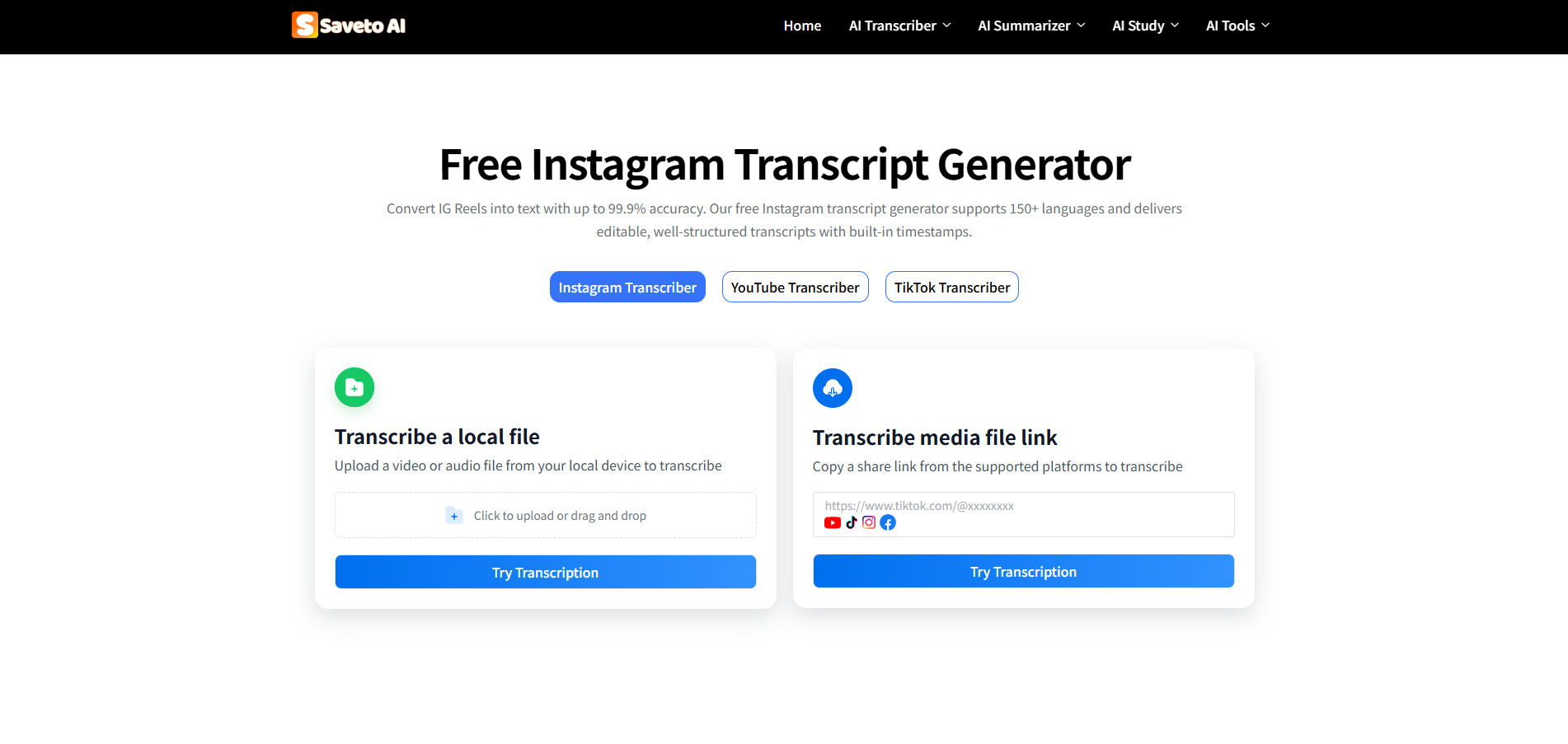
Saveto AI is the widest free bundle in the category: transcription, translation, summarization, a video downloader, voice cleanup, and photo translation, all with no login and no stated usage limits. Speaker identification is included, files are deleted after 24 hours, and uploads cap at 100MB. For a user who wants everything in one place and cannot pay anything, it does more than any other tool here.
Pricing, free access, and accuracy claims
The reason it is free is on the site: the platform describes itself as in development, with all services free for now. That is a runway, not a business model — and when pricing arrives, it usually arrives with caps. The trust problem is sharper: Saveto's own pages give accuracy figures of 98.3%, 98.6%, 99.9% and 99.99% in different places, and language counts of "150+" and "200+" in others. When a site cannot keep its own claims consistent, the honest reading is that none of them is a benchmark. Export is TXT only — no SRT or VTT.
Transcription and video tool features
- One free bundle — transcription, translation, summary, downloader, voice enhancement
- No login, no stated limits, with files deleted after 24 hours
- Speaker identification and multi-platform link support, including Instagram
Advantages
- The most functionality per dollar in this list — the dollar being zero
- No account required for any feature, including uploads
- 24-hour file deletion is a concrete privacy practice, not a slogan
Limitations
- "Free during development" means pricing is not established — the free tier can change without notice
- 100MB upload cap, TXT-only export, and features the site itself calls incomplete
- Four different accuracy claims across its own pages (98.3% to 99.99%) — none independently verified
Who should use Saveto AI
Budget users who want one free tab for everything and can accept that a pre-launch product may change under them.
Price: Free (pre-launch; pricing not yet established).
Choppity: turn Instagram video transcripts into short clips
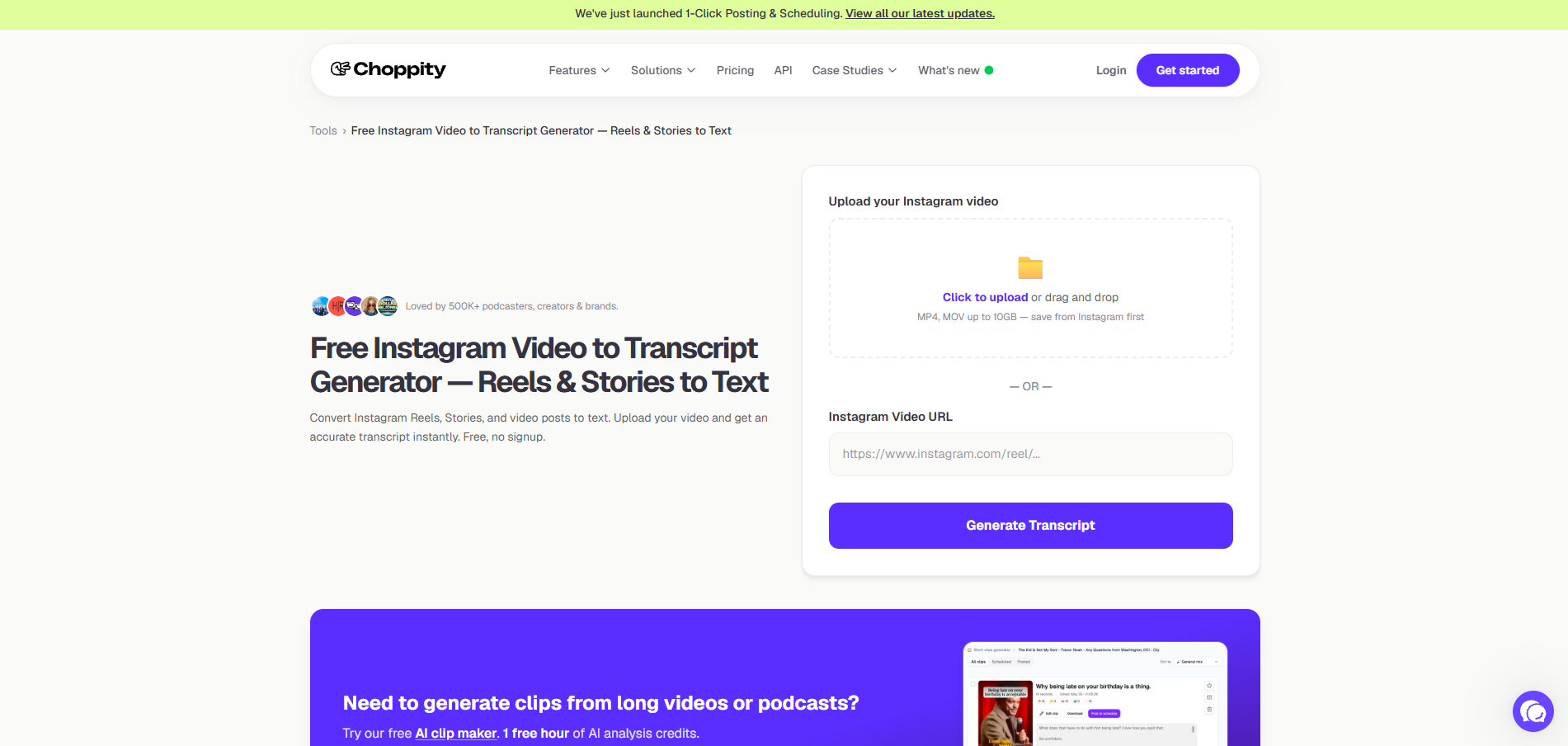
Choppity's Instagram page is free and needs no signup — but read the first instruction carefully: save the Reel or video from Instagram, then upload it. Reels, Stories, IGTV and regular video posts all work as uploads, at any length, with a transcript you can download. The audio handling is tuned for social content, and the same transcription engine powers the clip finder.
That engine is the point. Upload a long video — or paste a YouTube URL — and Choppity's AI identifies hook-worthy moments and returns 20-50+ clips with captions, smart framing and brand styling. Editing happens in the transcript: delete a sentence to trim the clip. A 30-minute podcast processes in 5-7 minutes.
Instagram input, pricing, and export limits
For Instagram specifically, there is no URL paste — official pages describe saving the video and uploading it, which adds a download step every time. The transcript is a step inside the clip pipeline, not a standalone product: the free platform plan includes one hour of AI analysis per month, 2GB storage and no downloads, and exports start at Starter ($19/mo monthly, $13.30/mo annual). If your job is text, the free tool page covers it. If your job is clips, you are buying a subscription.
Instagram transcription and clip-editing features
- Upload-based for Instagram — Reels, Stories, IGTV and video posts, any length, free with no signup
- Transcript-native editing — trim, cut and censor by editing text, not a timeline
- 20-50+ clips per long video with captions, reframing and scheduling built in
Advantages
- The free Instagram tool page is genuinely free and handles any video length
- Transcript-based editing is the fastest route from raw footage to posted shorts
- Processing times are published and realistic (5-7 minutes for a 30-minute podcast)
Limitations
- No Instagram URL paste — you download the video yourself first, every time
- Transcript export lives inside a clip workflow; the platform's free plan caps at 1 hour of analysis/month with no downloads
Who should use Choppity
Podcasters and creators repurposing long-form video into shorts, where the transcript is a means to clips.
Price: Free IG tool page; platform Starter $19/mo or $13.30/mo annual.
SpeakApp: a short Instagram Reel transcript tool for meeting teams
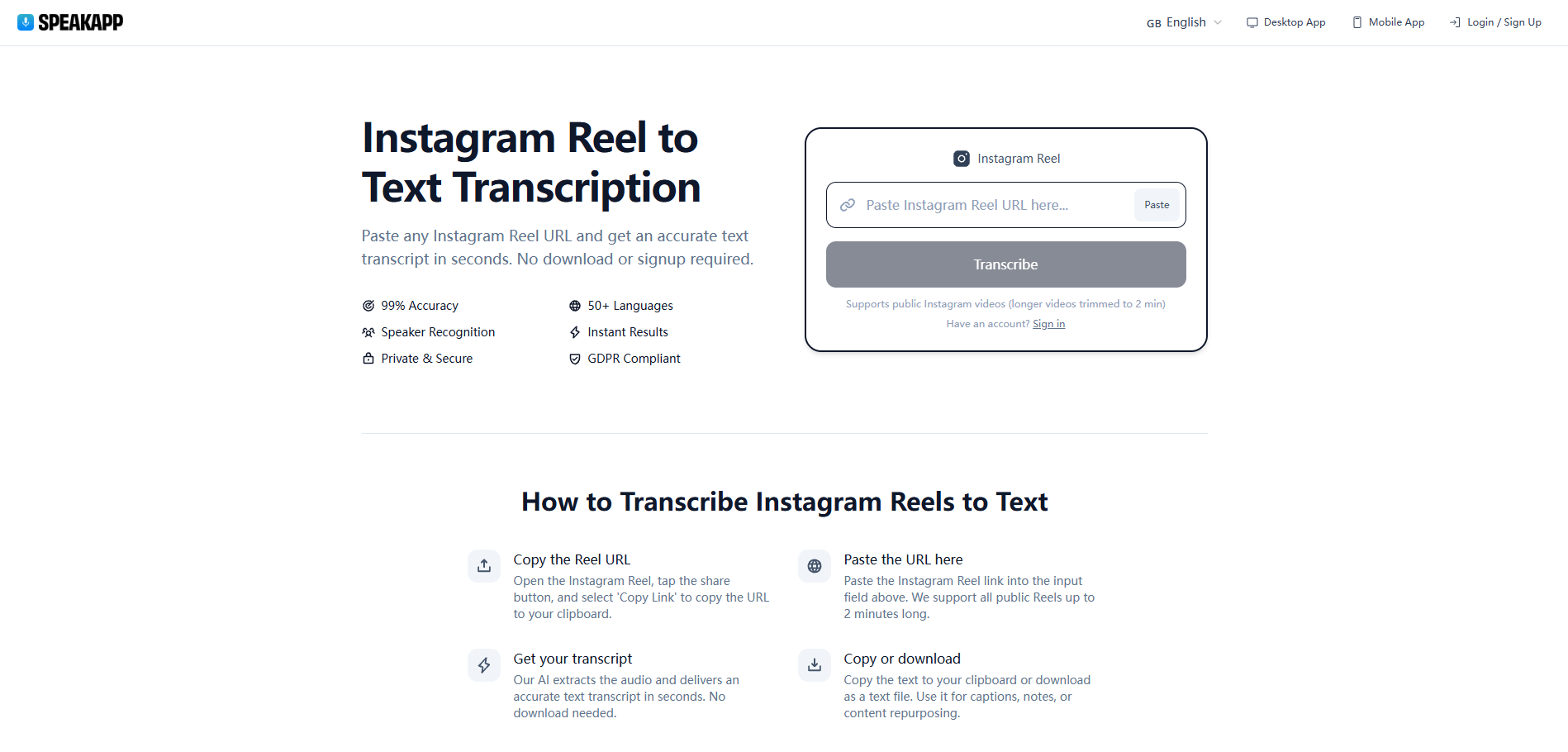
SpeakApp runs a free Instagram Reel transcription page alongside its main product: paste a public Reel URL, no signup, and the page claims 99% accuracy, 50+ languages and speaker recognition, GDPR-compliant processing. For a quick one-off Reel, it works.
The company's actual product is a desktop meeting assistant that captures Zoom, Teams, Google Meet, Slack and Webex calls without a bot joining the call, imports audio and video files or YouTube links, and exports notes as PDF or Word. Recordings sit in EU data centers with encryption, and transcription covers 90+ languages. That is a serious tool — for a different job.
Instagram Reel limits and meeting plan pricing
The free Instagram page has two hard limits, stated on the page itself: public Reels only, up to 2 minutes long, with plain-text output. Most Reels clear two minutes easily, and captions need SRT, not TXT. The meeting product has no free plan at all — Premium runs $59.99/year (100 minutes per recording, 10 hours of imports monthly) and Pro $119.99/year (4 hours per recording, 30 hours of imports) — and it does not accept Instagram links natively. If your week is calls, SpeakApp earns its price. If your week is Reels, the 2-minute cap decides for you.
Reel transcription and meeting features
- Free no-signup Reel page with speaker recognition and GDPR-compliant processing
- Bot-free meeting capture across five conferencing platforms, plus file and YouTube imports
- EU data centers (Germany and Finland) with encryption at rest and in transit
Advantages
- The meeting assistant is one of the strongest privacy postures in this list
- 90+ transcription languages and PDF/Word export in the paid product
- The free Reel page is a legitimate quick tool for short clips
Limitations
- The free IG page caps Reels at 2 minutes and outputs text only — no SRT/VTT
- The paid product has no free tier and takes no Instagram links; imports and YouTube only
Who should use SpeakApp
Teams whose primary need is meeting transcription with EU hosting — with a free Reel page as a bonus, not a reason to subscribe.
Price: Free IG tool page; meeting product from $59.99/yr.
Free Instagram transcript generator: limits, exports, and data policies
"Free" is the most overloaded word in this category. Five different mechanics hide behind it, and they are not comparable at face value.
| Tool | What "free" means | Where the wall is | Export on free | Data handling |
|---|---|---|---|---|
| Instagram Transcript | Free, no account, no published caps | None published; public posts only | Text + SRT/VTT | Not stated on site |
| GetTheScript | 3 short transcripts/day, no account | 4th video needs credits ($9.99/200) | TXT, timestamped TXT, SRT, VTT | Uploads deleted after processing |
| WayinVideo | 100 one-time credits after sign-up | Credits run out; speaker-labeled transcripts are paid | TXT, DOC, PDF, SRT, VTT | Links and transcripts never stored (per tool page) |
| Eden | Free, no sign-up | Output is .txt; pipeline starts at $25/mo | .txt | Not stated |
| Saveto AI | Free, no login, no stated limits | 100MB upload cap; pricing not established | TXT | Files deleted after 24 hours |
| Choppity | Free IG tool page, no sign-up | Upload-only; platform free plan: 1 hr analysis/mo, no downloads | Transcript file | 3-day project storage (platform free plan) |
| SpeakApp | Free IG tool page, no sign-up | Reels ≤ 2 min; meeting product from $59.99/yr | .txt | EU data centers, GDPR-compliant |
Three mechanics decide whether a "free" tool survives contact with your workflow.
Daily credits versus one-time credits. GetTheScript refills three transcripts every day; WayinVideo hands you 100 credits once and never again. A one-time allowance is a trial wearing a free tier's clothes — fine for evaluating, thin for weekly use.
The caption-track trap. Several tools fetch the caption track a video already has, which is fast and cheap — and returns nothing when the creator disabled captions. Audio-first transcription does not have that failure mode. Eden states plainly which of its tools work which way; before trusting any tool with a no-captions Reel, find out which method it uses.
Sustainability. "Free during development," in Saveto's own words, is a runway. Pre-launch pricing usually arrives with caps attached, and a workflow built on a free tier that disappears is a workflow that breaks. Note also which tools publish a data-retention policy at all — GetTheScript deletes uploads after processing, Saveto after 24 hours, WayinVideo says nothing is stored. Silence on retention is its own answer.
How to get Instagram transcript in 3 steps
- Copy the link. Open the Reel, tap Share, then Copy Link. If the account is private, download the video yourself — with the owner's permission — and use a tool that accepts uploads, such as Choppity, Saveto AI, or instagramtranscript.io.
- Paste and generate. If the Reel mixes languages or the speaker has a strong accent, set the source language manually instead of trusting auto-detect. Wrong-language auto-detection is the single most common cause of garbled transcripts.
- Proofread, then export. Names, brands and places are where speech recognition still fails most — fix those before anything gets published. Export TXT for notes and drafts, SRT or VTT when the output is captions.
How to choose the right Instagram transcript generator
- You transcribe Reels occasionally and want zero friction. instagramtranscript.io: free, no sign-up, every public format, SRT/VTT included. Nothing to cancel.
- You work through short-form at volume and do not mind paying per video. GetTheScript's credit packs price out around $0.02 per short video at the 1,000-credit tier.
- The transcript is one station in a bigger pipeline — clips, subtitles, scheduling. WayinVideo for format range and Live replays; Choppity if the destination is shorts.
- Meetings are the main event, and EU hosting matters. SpeakApp's paid product is built for that week. If your budget is exactly zero and you accept pre-launch risk, Saveto AI does the most for nothing.
Instagram transcript generator FAQs
Can I get a transcript directly from Instagram?
No. Instagram's official Help Center describes automatic captions for Reels, but they render on screen and cannot be exported as a text file. Getting words you can copy, edit, or publish requires a third-party tool — that gap is what every option on this list fills.
Is it free to transcribe an Instagram Reel?
Often, yes. instagramtranscript.io is free with no account, GetTheScript gives three short transcripts a day, and Eden and Choppity run free no-signup pages. Paid walls appear at volume — batch jobs, uploads, speaker labels — or inside larger platforms like WayinVideo ($13.99/mo) and SpeakApp ($59.99/yr).
Can you transcribe a private Instagram account?
No. URL-based tools read public posts only, and nothing on this list bypasses a private account. The workaround is to download the video yourself with the account holder's permission, then upload the file — which Choppity, Saveto AI, and instagramtranscript.io all accept.
How accurate is Instagram transcription?
Treat vendor percentages as marketing until you test your own audio. Claims in this category run from 95% to 99.9% with no independent benchmark behind any of them. Clear, single-speaker audio transcribes best; music-heavy Reels with voiceover are where every tool here struggles.
Which Instagram transcript generators export SRT or VTT?
instagramtranscript.io, GetTheScript, and WayinVideo all export SRT and VTT subtitle files — WayinVideo adds DOC and PDF. Eden outputs .txt only, Saveto AI exports TXT, and Choppity's download lives inside its clip workflow rather than as a standalone subtitle file.
Which Instagram transcript generator should you choose?
That link in your clipboard is three steps from being text you can quote, caption, or hand to an AI — a gap Instagram's own captions were never built to close.
The right tool still depends on the week ahead of you. If your calendar is meetings, SpeakApp's paid product earns its subscription. If you are cutting a two-hour podcast into shorts, Choppity's transcript-native editor is the right shape, upload step and all. But if the job is turning a public Instagram link into clean, usable text — free, with no account, timestamps and speaker labels included, and SRT or VTT when the output is captions — instagramtranscript.io is the only option here that removes every wall instead of moving it.
Paste one Reel link and see for yourself. Three steps, no sign-up, nothing to cancel